2.4GHz Foam RC Jet with Camera: Setup, Rolls & Tips
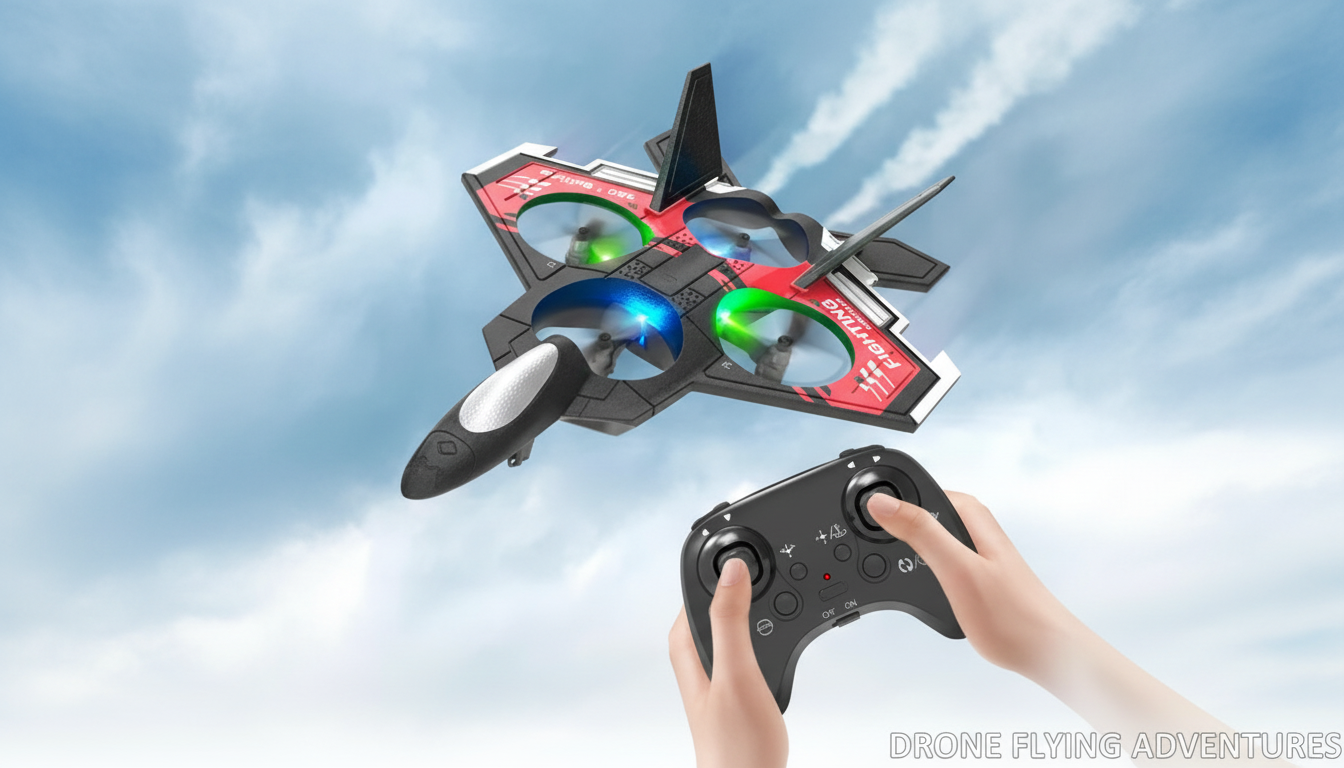
2.4GHz RC Foam Jet Plane with Camera & Stunt Roll
A foam RC jet with an onboard camera and stunt-roll capability combines fast, lightweight flying with fun aerial footage. This guide covers what to expect from a 2.4GHz foam jet, how to set it up for smoother flights, and how to get better results from the camera and roll function—especially for newer pilots.
What Makes This Foam RC Jet Different
A foam RC jet stands out for how forgiving it can be while still feeling quick and exciting. The foam airframe helps reduce damage from minor bumps and hard landings compared with rigid plastics, making it a practical choice for pilots still dialing in launches and landings.
The 2.4GHz control link is designed to reduce interference and makes it easier to fly alongside other RC pilots without constantly worrying about signal conflicts. Add an onboard camera for short “pilot view” clips, plus a one-button stunt roll for quick aerobatics, and you get a plane that stays fun even after the first learning curve.
If you’re shopping for this exact style of model, see the 2.4GHz RC Foam Jet Plane with Camera & Stunt Roll for current pricing and availability.
Feature Overview at a Glance
Use the checklist below to set expectations for durability, control behavior, camera results, and how the stunt roll feels in real flight. Keep in mind that range, flight time, and video quality can vary with wind, battery condition, temperature, and piloting style.
| Area | What it does | What to watch for | Best practice |
|---|---|---|---|
| 2.4GHz control link | Maintains responsive steering and throttle control | Interference is reduced but not impossible | Fly in open spaces and keep the transmitter antenna unobstructed |
| Foam airframe | Lightweight body for easier launches and less impact stress | Foam can crease or tear in repeated nose-down impacts | Use gentle throttle on launch; repair small splits early with foam-safe glue/tape |
| Onboard camera | Captures flight perspective footage | Vibration and sudden roll inputs can blur footage | Trim the plane, avoid over-correcting, and do smoother passes for clearer video |
| Stunt roll | Triggers a roll maneuver for aerobatic fun | Low altitude or low speed can cause loss of lift | Try at higher altitude first, with steady throttle and enough airspeed |
Before You Fly: Setup and Safety Basics
Start with a calm, methodical pre-flight routine. Fully charge batteries and let them cool after charging before use; discontinue use if you see swelling, overheating, or physical damage. Confirm the control surfaces move in the correct direction before takeoff. If your model supports reversing, use it; if not, re-check wiring and assembly so you’re not fighting the plane in the air.
Choose an open area away from people, pets, roads, and power lines. Lightweight foam models are especially affected by gusty wind, so early flights go best on calm days in wide spaces. For additional safety guidance and field etiquette, review the FAA recreational flyer guidance and the Academy of Model Aeronautics Safety Handbook.
Keep first flights short and low-stress: gentle turns, shallow climbs, and smooth throttle changes help prevent stalls. Also follow local rules for RC flying and any camera/recording restrictions in public spaces.
Getting Smoother Flights: Trimming, Throttle, and Wind
Most “wobbly” flying comes from over-controlling. Use small inputs—quick, large corrections can start oscillations that bleed altitude and make landings messy. Aim to trim the jet for straight flight at mid-throttle. A well-trimmed plane is easier to point where you want, makes camera footage steadier, and makes stunt rolls more predictable.
Manage throttle like a volume knob rather than an on/off switch. Gradual changes help maintain lift and reduce the sudden pitch changes that can happen when you chop power. Wind matters even more: foam jets can be pushed off course and get bumped around by turbulence near trees, buildings, and fences. For practice, a light breeze at most is ideal.
A simple pattern helps build consistency: takeoff → straight pass → gentle turn → straight pass → approach → landing. Repeat it until your hands stop reacting and start anticipating.
Using the Camera Without Ruining the Flight
The best camera footage usually comes from the least dramatic flying. Do a non-recording test lap first to verify stable handling; then start capturing footage once the plane feels predictable. Long, smooth passes at a consistent altitude generally look better than tight circles, sudden pull-ups, or constant corrections.
Stunt Roll: When to Use It and When to Wait
Care, Repairs, and Storage for Foam RC Jets
Who This Plane Suits Best
More In-Stock Picks to Round Out Your Cart
- 2.4GHz RC Foam Jet Plane with Camera & Stunt Roll ($46.67)
- Adidas Men’s Grey Hoodie Sweatshirt ($36.92)
- 14-Piece Professional Makeup Brush Set ($26.51)
FAQ
How far can a 2.4GHz RC jet typically fly from the controller?
Range varies based on transmitter power, battery condition, local interference, and maintaining clear line of sight. Staying within comfortable visual range is safest, and it’s best to follow the product’s stated range when provided.
Can the stunt roll be used by beginners?
Yes, but it’s best saved until straight-and-level flying is consistent. Try the first roll at higher altitude with steady throttle, then practice recovering smoothly back to level flight.
Why is the camera footage shaky and how can it be improved?
Shaky footage is commonly caused by vibration, gusty/turbulent air, over-correcting the controls, or minor airframe damage like creased foam. Smoother inputs, calmer weather, and checking for loose or cracked sections usually improves video the most.








Leave a comment